

What did I use?
-
Ceiling speakers For the speakers I used JBL ceiling speakers
. I hadn't listened to them before, but knew they were very easy to install, and JBL have such a good reputation.
-
Amplifier For the amplifier, I used the Sony STRDH100 AV Receiver 2 Channel
. In the future I plan to make use of the second channel to power a pair of speakers in the bathroom!
-
PC For the PC I just used a basic desktop PC similar to this Acer Aspire AX3990 Desktop PC (Intel Core i3 2120 3.3GHz, 6GB RAM, 500GB HDD, DVD-RW, Keyboard, Mouse, Windows 7 Home Premium)
. Just as long as it is powerful enough to run Windows 7 Media Centre, Apple iTunes, and the Logitech SqueezeBox software.To turn the desktop PC into a PVR I used the ClimaxDigital DTV300 TV DVB-T USB 2.0 Tuner/Receiver/ Adapter/Dongle/Stick Freeview
. It has surprisingly good reception considering the price!
-
Monitor For the kitchen TV / monitor, I used a Samsung B2330HD 23 inch Widescreen Monitor
. But now I'm thinking it would be better to use a touchscreen monitor, such as the Acer T231H 23 inch Touchscreen TFT Monitor
.
How did I do it?
Computer
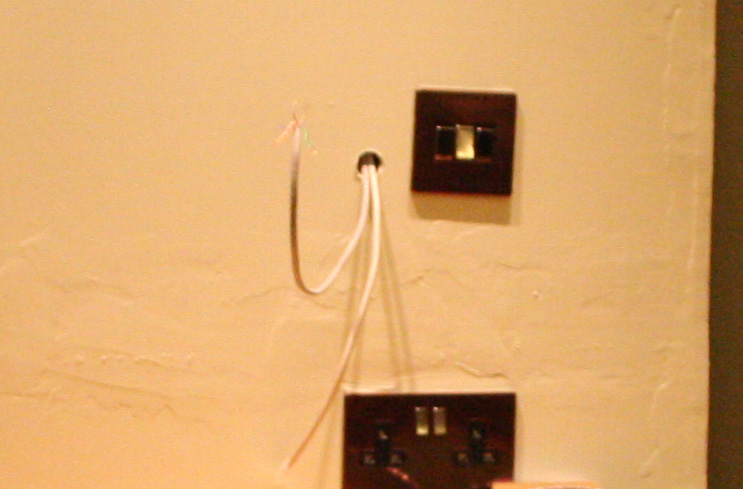
Hiding the desktop PC. The first thing I did was to hide the desktop PC in the loft. I then ran a Cat5 cable down to a push button switch, and a couple of LEDs, so that I could turn the computer on - and see that it was on, from the kitchen.
Amplifier
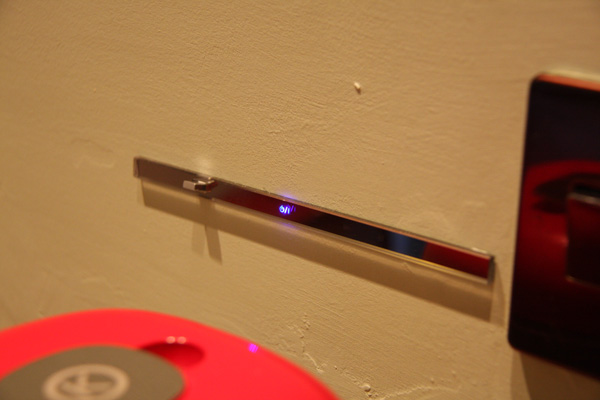
Next step, and probably the hardest step was to hide the Sony amplifier. To do this I had to separate the front panel from the rest of the unit. The bulky bit of the amp could then sit in the loft next to the computer.

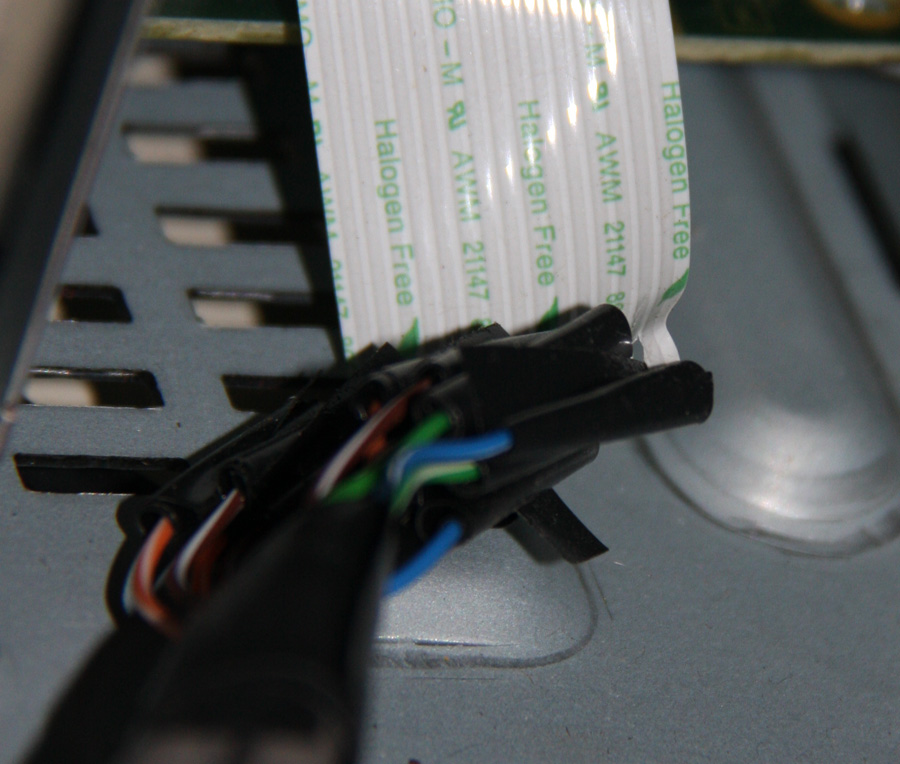
The front panel controls were connected to the amplifier via a 15 core ribbon cable, so I had to cut into this cable and extend it using two Cat5 cables (not easy soldering each Cat5 cable to the ribbon cable). There may be someone who sells longer ribbon cables, or even adapters to extend it to a couple of meters, but I couldn't find them!
To wall mount the front panel, I had to dig a hole about a centimeter deep in the wall, so that the panel would be flush. The photo below shows the result. The two Cat5 cables run up into the loft.


Speakers
Mounting the JBL speakers was easy - simply cut a hole in the ceiling and the speakers clip themselves in. I had some good quality speaker cable across the loft from the speakers to the Sony amp.

Monitor
To wall mount the Samsung monitor I used a Cantilever LCD Monitor TV Arm Bracket Wall Mount with Swivel and Tilt


Now you have a fully featured home entertainment system. You can watch TV in the kitchen, or you can search the Internet for recipes whilst listening to music.
Software
Earlier on I mentioned Logitech Squeeze Centre. This is a very powerful system for streaming your music collection around the house without requiring any specialist hardware. Simply install the Squeeze Centre Server Software on the PC that contains your music collection. Then you can install the client software to any other PC around the house. If you don't have a computer in every room, there are plenty of Logitech devices such as the Logitech Squeezebox Touch


- Written by Nicholas Young
- 11 May 2012